How the Internet, Computers & Email Work: A Hands-On Intro
A comprehensive, interactive introduction to the fundamentals of modern technology.
Table of contents
- Course Overview
- Session Agenda
- What You’ll Learn
- Learning Approach
- Prerequisites
- Getting Started
- Additional Resources
Course Overview
This course provides a foundational understanding of modern technology, designed for young adults (ages 14+) with an interest in tech. No prior technical knowledge is required.
Course Goals
- Provide a foundational understanding of how devices connect to the internet
- Explain how DNS and DHCP work in everyday networking
- Explore the basics of computer hardware (CPU/RAM) operations
- Follow the journey of an email from sending to delivery
- Practice basic troubleshooting for common tech issues
Session Agenda
| Time (mins) | Activity |
|---|---|
| 0–10 | Welcome & Icebreaker |
| 10–25 | Intro to the Internet & Computers |
| 25–40 | DNS & DHCP Basics |
| 40–50 | Break |
| 50–65 | How Email Works |
| 65–80 | CPU & RAM Basics |
| 80–95 | Mini Troubleshooting Activity |
| 95–110 | Q&A, Feedback, and Wrap-Up |
What You’ll Learn
1. Internet & Computer Basics
Learn how devices connect to the internet and how data travels across networks.
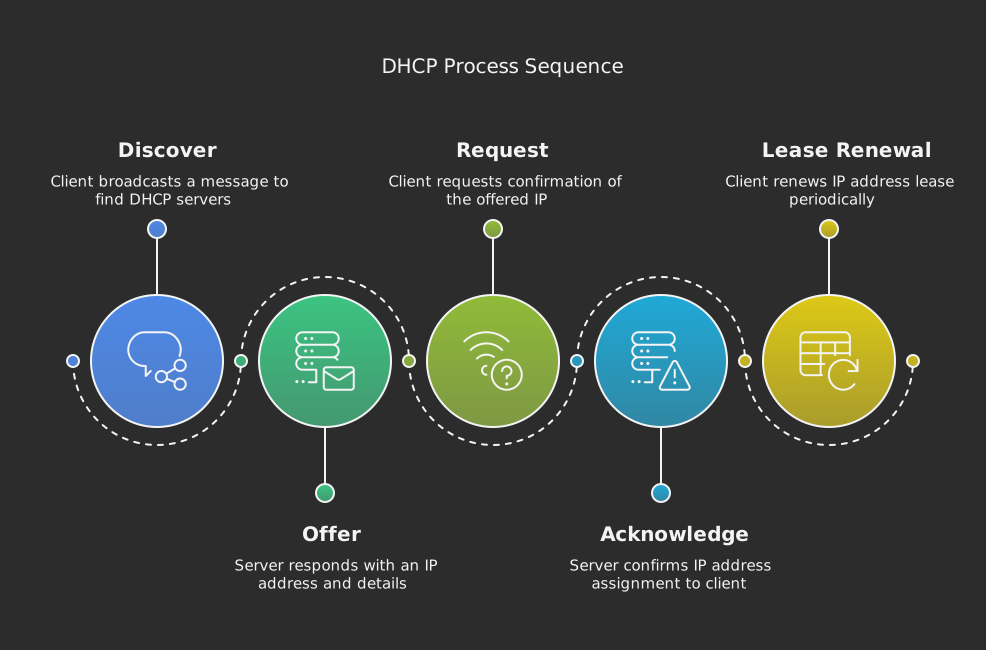
2. DNS & DHCP Fundamentals
Understand how devices get their network addresses and how domain names work.

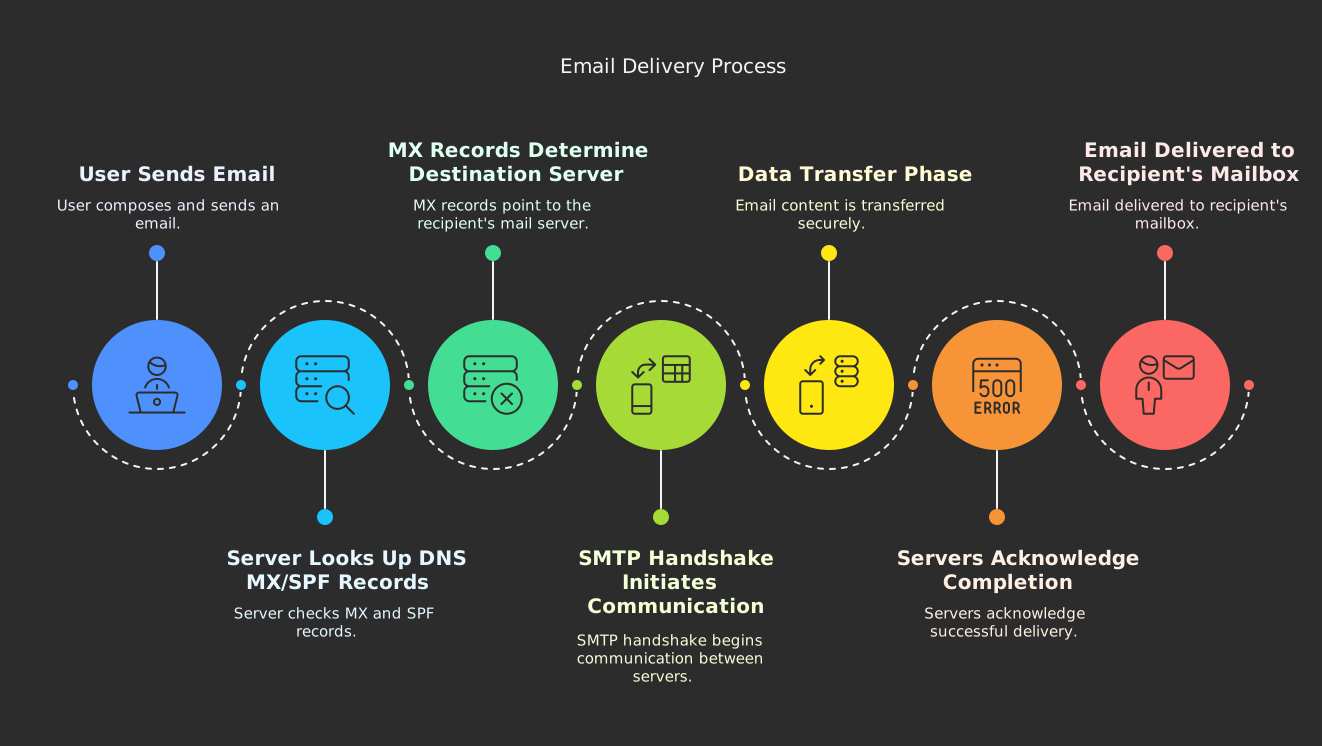
3. Email Systems
Explore the journey of an email from sender to recipient through SMTP, DNS lookups, and MX records.
4. Computer Hardware
Learn about CPU, RAM, and how computers process information at a fundamental level.
5. Practical Applications
Get hands-on experience with:
- Network troubleshooting techniques
- Email system analysis using command-line tools
- Performance monitoring with Task Manager/Terminal
- Real-world problem-solving scenarios
Learning Approach
Each section includes:
- 📝 Detailed explanations with clear analogies
- 🎥 Video demonstrations of key concepts
- 💻 Interactive diagrams and visualizations
- ⚡ Hands-on exercises using real tools
- 🔍 Real-world examples and applications
- 🛠️ Practical troubleshooting techniques
Prerequisites
- Basic computer usage skills
- Interest in learning about technology
- Access to a computer with internet connection
- No prior technical knowledge required
Getting Started
Begin with Internet & Computer Basics to learn the foundational concepts of how the internet works and how computers communicate.